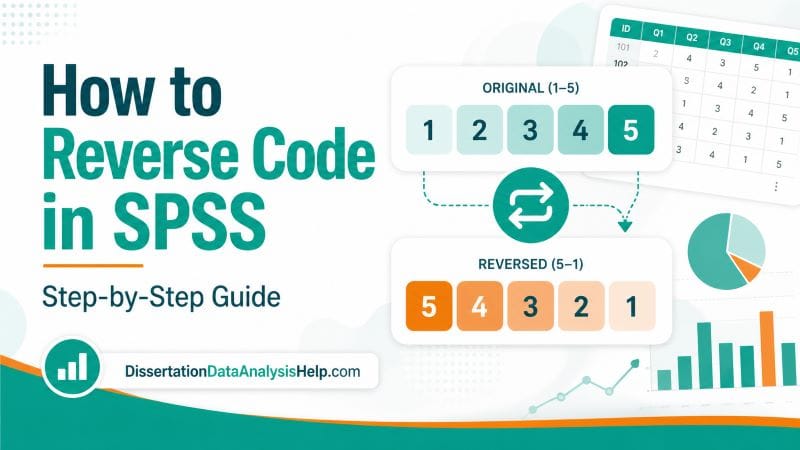
Reverse coding is one of the most common data preparation steps in SPSS, especially when working with surveys, questionnaires, and Likert-scale items. If some questions are worded in the opposite direction, you must reverse code them before computing scale scores, checking reliability, or running your main analysis.
For example, a questionnaire may include positive items such as “I feel confident analyzing data” and negative items such as “I feel anxious when analyzing data.” If both items belong to the same scale, they cannot be scored in the same direction unless the negative item is reverse-coded first.
In this guide, you will learn how to reverse code in SPSS using clear steps, examples, and syntax. You will also learn how to check whether reverse coding worked, how to reverse code 5-point and 7-point Likert scales, and how to avoid common mistakes that can affect your dissertation or thesis results.
Still preparing your dataset? You may find our guide on how to transform variables in SPSS useful.
Quick Steps: How Do You Reverse Code in SPSS?
To reverse code in SPSS, follow these simple steps:
In the SPSS Menu:
- Go to Transform > Recode into Different Variables,
- Select the variable you want to reverse
- Give the new variable a clear name
- Click Old and New Values
- Enter the reversed value pairs
- Click Continue and OK.
For a 5-point Likert scale, the reverse coding pattern is:
| Original Value | Reversed Value |
|---|---|
| 1 | 5 |
| 2 | 4 |
| 3 | 3 |
| 4 | 2 |
| 5 | 1 |
This means a response of 1 becomes 5, a response of 2 becomes 4, and so on. The middle value stays the same because it is the midpoint of the scale.
The safest method is usually Recode into Different Variables because it creates a new reversed variable and keeps your original variable unchanged. This is important when working with dissertation, thesis, or research data because you may need to check your original responses later.
What Is Reverse Coding in SPSS?
Reverse coding in SPSS means changing the direction of a variable so that its scores match the direction of the other variables in the same scale.
This is common when a questionnaire includes negatively worded items. A negatively worded item is an item where a higher response means less of the construct being measured, while other items measure more of the construct.
For example, suppose you are measuring academic confidence. One item may say, “I feel confident completing my dissertation analysis,” while the other says, “I avoid my dissertation analysis because it feels difficult.”
In this case, the first item is positive, and a high score means higher confidence. On the other hand, the second item is negative, and a high score means lower confidence. If you combine both items without reverse-coding the negative item, your final scale score may be wrong.
Reverse coding fixes this problem. It ensures that all items point in the same direction before you compute a total score, mean score, or reliability statistic.
Why Reverse Coding Is Important in Research
Reverse coding may look like a small technical step, but it can change the meaning of your results. If one or more items are coded in the wrong direction, your scale score may become misleading.
Reverse coding is important because it helps you:
- Create accurate scale scores. All items should measure the construct in the same direction before you combine them.
- Improve reliability analysis. Negatively worded items can reduce Cronbach’s alpha if they are not reversed correctly.
- Avoid wrong conclusions. A coding error can make a strong relationship look weak, or a positive pattern look negative.
- Make interpretation easier. After reverse coding, higher scores can consistently mean higher levels of the construct.
- Protect your dissertation results. Data preparation errors can affect your results, chapter, discussion, and final conclusions.
- Follow questionnaire scoring rules. Many validated instruments require specific items to be reverse-scored.
If you are working with scale reliability, our guide on Cronbach’s alpha explains how internal consistency is assessed after items are coded correctly.
When Should You Reverse Code a Variable?
You should reverse code a variable when the item is worded in the opposite direction from the construct you want to measure. This usually happens in Likert-scale questionnaires. Some items are written positively, while others are written negatively to reduce response bias. Before analysis, the negatively worded items may need to be reverse-coded.
Here are simple examples:
| Construct | Positive Item | Negative Item That May Need Reverse Coding |
|---|---|---|
| Academic confidence | I feel confident doing research. | I feel helpless when doing research. |
| Job satisfaction | I am satisfied with my job. | I often feel unhappy at work. |
| Motivation | I enjoy completing academic tasks. | I avoid academic tasks whenever possible. |
| Statistics confidence | I understand statistical output. | I feel confused when reading statistical output. |
| Service satisfaction | I am happy with the service. | I am disappointed with the service. |
However, do not reverse code an item just because it sounds negative. Always check the questionnaire scoring guide, your supervisor’s instructions, or the original scale manual.
Some scales are designed so that higher scores represent more of a negative construct, such as anxiety, stress, or depression. In that case, not every negative item should automatically be reversed.
Recode Into Same Variables vs. Recode Into Different Variables
SPSS gives you two main recoding options:
- Recode into Same Variables
- Recode into Different Variables
For most research projects, Recode into Different Variables is the better option.
| SPSS Option | What It Does | Should You Use It? |
|---|---|---|
| Recode into Same Variables | Replaces the original values | Risky because it overwrites your original data |
| Recode into Different Variables | Creates a new reversed variable | Recommended because it keeps the original variable |
When you use Recode into Same Variables, SPSS changes the original variable directly. If you make a mistake, it may be difficult to recover the original values unless you have a backup copy. However, when you use Recode into Different Variables, SPSS creates a new variable. For example, if the original item is called Q4, you can name the reversed item Q4_R. This keeps your dataset clean and easier to check.
For dissertation and thesis data, always protect your raw data. Keeping the original variable helps you trace mistakes and explain your data preparation process clearly.
Example Dataset for Reverse Coding in SPSS
Let us use a simple 5-point Likert-scale item.
Suppose your questionnaire measures dissertation confidence. One item is:
Q4: I avoid working on my dissertation when the analysis becomes difficult.
The response options are:
| Value | Response |
|---|---|
| 1 | Strongly Disagree |
| 2 | Disagree |
| 3 | Neutral |
| 4 | Agree |
| 5 | Strongly Agree |
This item is negatively worded. If a student strongly agrees with this statement, it suggests lower dissertation confidence. But if your full scale is designed so that higher scores mean higher confidence, this item must be reversed.
After reverse coding:
| Original Response | Original Value | Reversed Value |
|---|---|---|
| Strongly Disagree | 1 | 5 |
| Disagree | 2 | 4 |
| Neutral | 3 | 3 |
| Agree | 4 | 2 |
| Strongly Agree | 5 | 1 |
Now the item points in the same direction as the other confidence items.
How to Reverse Code in SPSS Using the ” Recode Into Different Variables” Option
The safest beginner-friendly way to reverse code in SPSS is to use Recode into Different Variables. To reverse-code negative items using this method in SPSS, follow these steps:
Step 1: Open Your Dataset in SPSS
Open the dataset that contains the variable you want to reverse code.
Make sure your Likert-scale responses are stored as numbers. For example, “Strongly Disagree” should be coded as 1, “Disagree” as 2, and so on.
If your responses are stored as text, you may need to convert them to numeric values before reverse coding.
Step 2: Identify the Variable That Needs Reverse Coding
Check your questionnaire and identify the negatively worded item.
In our example, the item is:
Q4: I avoid working on my dissertation when the analysis becomes difficult.
The variable name in SPSS is Q4.
Before you reverse code, confirm that this item really needs to be reversed. If you are using a validated questionnaire, check the scoring instructions.
Step 3: Open Recode Into Different Variables
In SPSS, go to:
Transform > Recode into Different Variables
A dialog box will open. This is where you select the original variable and create a new reversed version.
Use Recode into Different Variables instead of Recode into Same Variables so that your original data remains unchanged.
Step 4: Move the Variable Into the Input Box
Select the variable you want to reverse code from the left side of the dialog box.
For this example, select Q4.
Move it into the box labeled Input Variable -> Output Variable.
This tells SPSS that Q4 is the variable you want to recode.
Step 5: Name the New Reversed Variable
In the Output Variable section, enter a new variable name.
For example:
| Original Variable | Reversed Variable |
|---|---|
| Q4 | Q4_R |
| stress3 | stress3_R |
| confidence5 | confidence5_R |
| anxiety2 | anxiety2_R |
The _R ending is useful because it shows that the variable has been reversed.
You can also add a label such as:
Reverse coded Q4
After entering the name and label, click Change. This step is very important. If you do not click Change, SPSS may not create the new variable correctly.
Step 6: Click Old and New Values
Next, click Old and New Values.
This is where you tell SPSS how to change each original value.
For a 5-point Likert scale, enter the following pairs:
| Old Value | New Value |
|---|---|
| 1 | 5 |
| 2 | 4 |
| 3 | 3 |
| 4 | 2 |
| 5 | 1 |
Enter each pair one at a time, then click Add after each entry.
For example, enter old value 1 and new value 5, then click Add. Repeat this process until all values are entered.
Step 7: Click Continue and OK
After entering all old and new values, click Continue.
Then click OK.
SPSS will create a new reversed variable at the end of your dataset. In our example, the new variable will be called Q4_R.
Do not assume everything is correct yet. The next step is to check whether SPSS reversed the values properly.
How to Check Whether Reverse Coding Worked
After reverse coding, always check your new variable. This is where many students make mistakes.
The easiest method is to compare the original and reversed variables side by side in Data View.
For a 5-point scale:
- If
Q4 = 1, thenQ4_Rshould be5. - If
Q4 = 2, thenQ4_Rshould be4. - If
Q4 = 3, thenQ4_Rshould be3. - If
Q4 = 4, thenQ4_Rshould be2. - If
Q4 = 5, thenQ4_Rshould be1.
You can also run frequencies:
Analyze > Descriptive Statistics > Frequencies
Move both the original variable and the reversed variable into the analysis box. Then compare their distributions.
If the original variable had many high values, the reversed variable should have many low values. If this pattern does not appear, check your recoding steps again.
After checking your variables, you can summarize them using our guide on how to report descriptive statistics in APA.
How to Reverse Code a 5-Point Likert Scale in SPSS
A 5-point Likert scale is one of the most common scales in dissertation and thesis research. A typical 5-point scale may look like this:
| Value | Response |
|---|---|
| 1 | Strongly Disagree |
| 2 | Disagree |
| 3 | Neutral |
| 4 | Agree |
| 5 | Strongly Agree |
To reverse code this scale, use:
| Old Value | New Value |
|---|---|
| 1 | 5 |
| 2 | 4 |
| 3 | 3 |
| 4 | 2 |
| 5 | 1 |
The midpoint stays the same. This is because 3 represents the neutral point.
After reverse coding, a high score on the reversed item should mean the same thing as a high score on the other items in the scale.
For example, if your scale measures confidence, higher scores should consistently represent higher confidence after all necessary items are reversed.
How to Reverse Code a 7-Point Likert Scale in SPSS
A 7-point Likert scale gives respondents more response options than a 5-point scale. It is also common in psychology, education, business, and social science research. A 7-point scale may use values from 1 to 7.
To reverse code a 7-point scale, use:
| Old Value | New Value |
|---|---|
| 1 | 7 |
| 2 | 6 |
| 3 | 5 |
| 4 | 4 |
| 5 | 3 |
| 6 | 2 |
| 7 | 1 |
Again, the midpoint remains unchanged. In a 7-point scale, the midpoint is 4.
This means that very low scores become very high scores, and very high scores become very low scores. The direction of the item changes, but the scale range stays the same.
Reverse Coding Formula for Likert Scales
You can also reverse code a variable using a simple formula.
The formula is:
Reversed score = (Maximum value + Minimum value) - Original scoreFor a 1–5 Likert scale:
Reversed score = 6 - Original scoreFor a 1–7 Likert scale:
Reversed score = 8 - Original scoreHowever, if you’re working with a 0–10 likert scale, the formula is:
Reversed score = 10 - Original scoreThis method is useful when the scale has a clear minimum and maximum value. However, you must be careful. If your scale starts at 0 instead of 1, the formula changes.
For example, a 0–4 scale should be reversed using:
Reversed score = 4 - Original scoreDo not use the 1–5 formula for a 0–4 scale. The values may look similar, but the coding is different.
How to Reverse Code in SPSS Using Compute Variable
The Compute Variable method is faster when your scale has a consistent numeric range. For example, if Q4 is measured on a 1–5 scale, you can create the reversed variable using:
COMPUTE Q4_R = 6 - Q4.
EXECUTE.
For a 1–7 scale, use:
COMPUTE Q4_R = 8 - Q4.
EXECUTE.
To do this using the SPSS menu:
- Go to Transform > Compute Variable.
- Enter the new variable name in Target Variable.
- For example, enter
Q4_R. - In the numeric expression box, enter
6 - Q4. - Click OK.
SPSS will create the reversed variable.
This method is clean and efficient, but it requires you to know the exact minimum and maximum values of your scale. If the scale has unusual coding, missing value codes, or non-standard response values, use extra caution.
SPSS Syntax for Reverse Coding
SPSS syntax is useful because it records exactly what you did. This is helpful when working on a dissertation, thesis, or research project because it makes your analysis easier to check and repeat.
Here is the syntax for reverse coding a 5-point Likert-scale item using the RECODE command:
RECODE Q4 (1=5) (2=4) (3=3) (4=2) (5=1) INTO Q4_R.
VARIABLE LABELS Q4_R 'Reverse coded Q4'.
EXECUTE.
You can also use the COMPUTE command:
COMPUTE Q4_R = 6 - Q4.
VARIABLE LABELS Q4_R 'Reverse coded Q4'.
EXECUTE.
Both methods can work. The RECODE method is more explicit because it shows each old and new value. The COMPUTE method is shorter and faster.
If you are a beginner, the RECODE method may be easier to understand. If you are reversing many items with the same scale range, the COMPUTE method may be more efficient.
How to Reverse Code Several Variables at Once in SPSS
Sometimes, a questionnaire has more than one negatively worded item. For example, you may need to reverse code Q2, Q4, and Q7.
You can reverse code several variables at once using SPSS syntax:
RECODE Q2 Q4 Q7
(1=5) (2=4) (3=3) (4=2) (5=1)
INTO Q2_R Q4_R Q7_R.

VARIABLE LABELS
Q2_R 'Reverse coded Q2'
Q4_R 'Reverse coded Q4'
Q7_R 'Reverse coded Q7'.

EXECUTE.
This creates three new reversed variables:
Q2_RQ4_RQ7_R
Make sure the order of the new variables matches the order of the original variables. In the example above, Q2 becomes Q2_R, Q4 becomes Q4_R, and Q7 becomes Q7_R.
After running the syntax, check all reversed variables before using them in reliability analysis or scale score computation.
How to Reverse Code Before Computing a Scale Score
Reverse coding should be done before computing a total score or mean score. Suppose you have five items measuring dissertation confidence:
Q1Q2Q3Q4Q5
If Q4 is negatively worded, do not compute the scale score like this:
COMPUTE confidence_mean = MEAN(Q1, Q2, Q3, Q4, Q5).
EXECUTE.
That would include the original negative item and may distort the score.
Instead, reverse code Q4 first. Then compute the scale score using Q4_R:
COMPUTE confidence_mean = MEAN(Q1, Q2, Q3, Q4_R, Q5).
EXECUTE.
This ensures all items point in the same direction.
A good workflow is:
- Identify negatively worded items.
- Reverse code those items.
- Check the reversed values.
- Compute the total or mean scale score.
- Run reliability analysis.
- Use the final scale score in your main analysis.
Reverse Coding and Cronbach’s Alpha
Reverse coding is closely linked to Cronbach’s alpha. Cronbach’s alpha is commonly used to check whether a group of items measures the same construct consistently.
If a negatively worded item is not reverse-coded, it may correlate poorly with the other items. This can lower Cronbach’s alpha and make the scale look unreliable.
Before deleting an item because it has a weak item-total correlation, first ask:
- Was the item negatively worded?
- Should it have been reverse-coded?
- Did I use the reversed version in the reliability analysis?
- Did I follow the questionnaire scoring guide?
A low Cronbach’s alpha does not always mean the scale is poor. Sometimes, it means one or more items were coded in the wrong direction.
If you are unsure how reliability works, read our guide on what Cronbach’s alpha means before removing items from your scale.
How to Report Reverse Coding in a Dissertation or Thesis
You do not need to give a long explanation of reverse coding in your results chapter. However, you should mention it briefly when describing how you prepared your data.
Here is a clear example:
Negatively worded items were reverse coded before computing the scale scores. For the 5-point Likert-scale items, responses were recoded so that 1 became 5, 2 became 4, 3 remained 3, 4 became 2, and 5 became 1. Higher final scores represented higher levels of the measured construct.
You can also use a shorter version:
Negatively worded items were reverse coded so that higher scores consistently represented higher levels of the construct.
This statement is useful in a methodology chapter, data preparation section, or results chapter. It helps the reader understand how the final scale scores were created.
If your study includes several scales, be specific about which items were reversed.
Common Mistakes When Reverse Coding in SPSS
Reverse coding is simple, but small mistakes can affect your results. Here are the most common problems to avoid.
- Overwriting the original variable. Avoid using Recode into Same Variables unless you have a backup.
- Forgetting to click Change. In Recode into Different Variables, SPSS needs you to click Change after naming the new variable.
- Using the wrong scale range. A 1–5 scale and a 0–4 scale require different formulas.
- Reverse coding the wrong item. Always check the questionnaire scoring instructions.
- Forgetting missing values. Do not accidentally recode missing value codes such as 99 or 999.
- Using the original item later. After reverse coding, use the reversed variable in scale scores.
- Ignoring value labels. Make sure labels still make sense after recoding.
- Running reliability too early. Reverse code items before checking Cronbach’s alpha.
The safest approach is to reverse code, check the new variable, and only then continue with the analysis.
Need Help Reverse-Coding Your SPSS Data?
Reverse coding can be confusing when your questionnaire has several scales, missing values, negatively worded items, and unclear scoring instructions. A small mistake can affect your reliability analysis, descriptive statistics, correlations, regression results, and final interpretation. If you are unsure which items should be reversed, do not guess. It is better to check the coding before running the main analysis.
Our SPSS data analysis services can support you with data cleaning, variable coding, reverse coding, reliability analysis, scale score computation, statistical testing, output interpretation, and APA-style reporting. However, if your project is for a dissertation, you may also get focused SPSS dissertation help for your data preparation, analysis, and results chapter.
Final Thoughts
Reverse coding in SPSS is an important step when working with negatively worded questionnaire items. It helps ensure that all items in a scale point in the same direction before you compute total scores, mean scores, or reliability statistics.
The safest method is to use Transform > Recode into Different Variables because it keeps your original data unchanged. For a 5-point Likert scale, the reverse coding pattern is 1 = 5, 2 = 4, 3 = 3, 4 = 2, and 5 = 1. For a 7-point scale, the pattern is 1 = 7, 2 = 6, 3 = 5, 4 = 4, 5 = 3, 6 = 2, and 7 = 1.
Always check your reversed variables before using them in your analysis. This simple step can protect your results from avoidable errors.
Frequently Asked Questions
Reverse coding means changing the direction of a variable so that low values become high values and high values become low values. It is often used for negatively worded questionnaire items.
You should reverse code a variable when it is worded in the opposite direction from the construct you are measuring. Always check your questionnaire scoring guide before reverse coding.
Use Recode into Different Variables in most cases. It creates a new reversed variable and keeps your original variable unchanged. This is safer for dissertations, theses, and research data.
Yes. You can reverse code several variables at once using SPSS syntax. For example, you can recode Q2, Q4, and Q7 into Q2_R, Q4_R, and Q7_R.
Yes. If negatively worded items are not reverse-coded, Cronbach’s alpha may become lower than expected. Reverse coding helps ensure all items measure the construct in the same direction.
Compare the original and reversed variables. For a 5-point scale, 1 should become 5, 2 should become 4, 3 should stay 3, 4 should become 2, and 5 should become 1. You can also run frequencies to check the values.

